Ebook + templatesPractical ebook for estate agents · UK edition

From verified property facts to your listing, social post and email, without inventing a single detail.

A step-by-step process to prepare property descriptions, portal and social versions, follow-ups after viewings and vendor updates with AI. Templates, a skill and a supervised assistant included.

Ebook · £35 inc. VAT · One-off payment, no subscription

10 chapters · Personal PDF · 12 months of updates
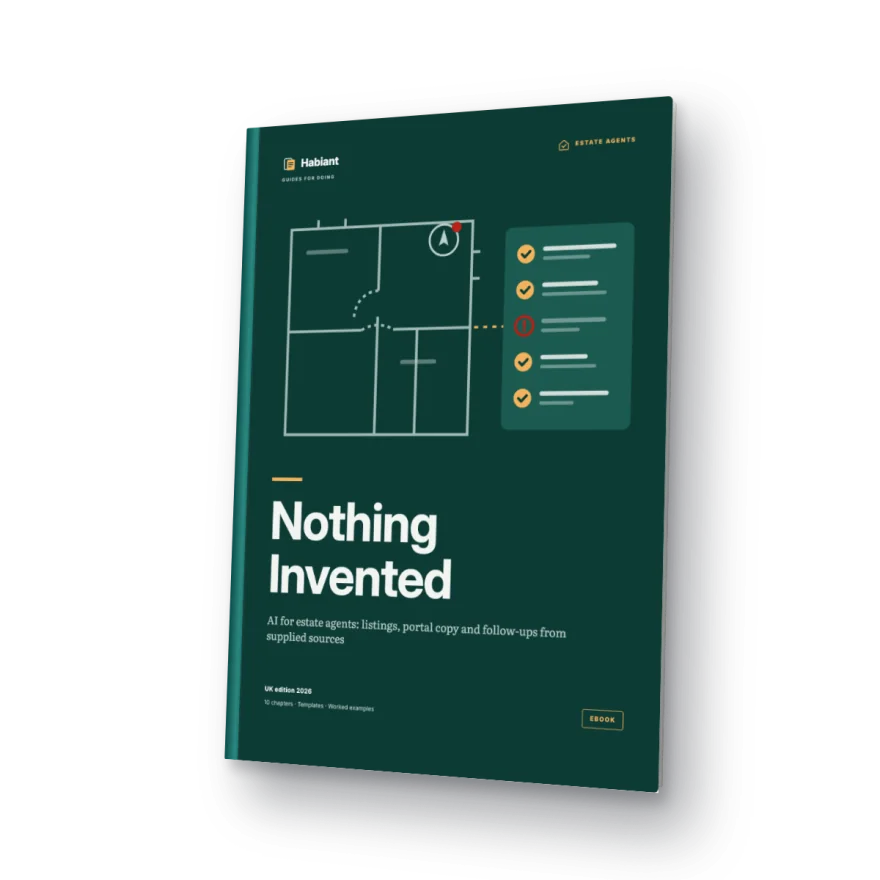
Cover of the ebook Nothing Invented

Every sentence tied to a record

“Private parking included” removed

See the method work

Watch a fact sheet become a listing with nothing invented.

The worked example from the free sample, step by step: sort the evidence, prompt with recorded facts only, catch three tempting inventions and keep every gap visible.

Silent animated illustration of the free sample’s worked example. Fictional property; no real product, vendor, buyer or tool is shown.

Read the demo as text
  1. Start from the source sheet. The source sheet holds three records: a survey sheet (R1), an inspection note (R2) and the vendor’s instruction (R3). The vendor’s “five minutes to the station” is unverified; parking, energy, charges and tenure are not supplied.
  2. Prompt with recorded facts only. The prompt allows only statements recorded in R1–R3, preserves the area basis and units, rules out invented parking, journey times, condition, energy performance or legal rights, and keeps the draft internal.
  3. Catch three tempting inventions. A loosely prompted draft adds private parking, a five-minute walk to the station and low energy bills. Each fails because nothing in R1–R3 supports it; “bright” and “generous” go too.
  4. Every sentence has a source. The internal draft keeps to the records: two bedrooms, 68 m² of internal floor area, third floor, a lift observed in operation, a balcony, £240,000 and viewings through the agency, each sentence tagged with its source.
  5. Gaps stay visible. Missing information stays visible and blocks publication. The review card: each claim has a source ID, measurements keep their meaning, unknowns stay visible, and a human approves release.

A process you can check

From supplied facts to finished copy, with every detail checked.

01

Source-linked fact sheet

Confirmed facts only: floor area, rooms, condition, EPC rating, council tax band. Anything missing is flagged, never guessed.

02

Drafts for each channel

Portal description, social post and follow-up message, all from the same fact sheet.

03

Review before it goes live

A checklist catches unsourced details and claims you can't stand behind. Nothing goes out without your sign-off.

The risk nobody mentions

AI writes fast. It also makes up which way the garden faces.

Details that aren't on the fact sheet

When a fact is missing, AI fills the gap: floor area, aspect, refurbishments, extras. One wrong detail costs you the trust of the buyer and the vendor, and material information has to be right.

Copy that sounds like every other listing

'Deceptively spacious, stylish and close to everything', on repeat. Without a process, AI recycles the clichés buyers already skim past on every portal.

Follow-ups fall behind

Between viewings, calls and admin, the message after a viewing and the update to your vendor go out late, or not at all.

What you'll be able to do

From new instruction to vendor update.

Fact sheet and listing

From supplied facts to a property description that passes the checklist before it goes live.

Portals, social media and translation

Versions for each channel and language that keep exactly the same property facts.

Follow-up and vendor updates

Messages after viewings and updates to your vendor, prepared by a supervised assistant.

One complete property

The final project: the full listing and follow-up pack for one property, start to finish.

Contents

Ten chapters: foundations first, applications second.

Part I · Foundations

  1. 01Make your first checked draftYou do not need previous experience with AI. In about fifteen minutes you will make one small fictional draft, find a mistake, correct it and save the result.
  2. 02Give the assistant a usable briefYou will write a complete brief, save reusable task instructions and test the result.
  3. 03Review the result, then measure the workYou will review a draft in a fixed order, keep a review log and measure the whole job honestly.
  4. 04Turn a source-linked property sheet into a draftYou will build a source-linked fact sheet for R-01 and draft a portal description you can trace.
  5. 05Adapt the listing without changing the propertyYou will adapt R-01 into portal, brochure, social and translated versions without changing a single fact.
  6. 06Follow up using the actual conversationYou will turn one viewing into a visitor follow-up, a vendor update and an internal summary.

Part II · Applications

  1. 07Choose a tool for the workYou will test up to two approved tools on a task you can check and record a decision you can explain.
  2. 08Turn a good procedure into a skillYou will turn the chapter 4 procedure into your first skill, test it on three inputs and version it.
  3. 09Delegate a limited task, optionallyYou will delegate one procedure you have already completed manually, inspect every returned file and record the next human decision.
  4. 10Deliver a complete internal property packYou will assemble the full R-01 pack, hand it to a reviewer and plan a seven-session rollout.

78 pages · UK edition 2026 · Draft v4 · revised 26 September 2026

A look inside

What the pages look like.

Source-linked fact sheet (fictional property)
Floor area: 78 m² / 840 sq ft (floor plan) · Aspect: TO CONFIRM · EPC: D · Kitchen refitted 2021 (invoice) · Council tax band: C
Review flag
'Bright, south-facing garden' → the fact sheet doesn't state the aspect. Remove it or confirm it with the vendor before publishing.
Follow-up after a viewing
Hi Sarah, thanks for viewing the flat on Elm Road yesterday. To confirm what you asked: the service charge covers buildings insurance and communal cleaning, according to the latest service charge statement.

Who it's for

For agents who write their own listings and do their own follow-up.

Made for

  • Independent agents who prepare their own property descriptions.
  • Branch teams that want consistent particulars and copy.
  • Branch managers who sign off what goes out under their name.
  • Property marketing staff working across portals and social media.

It's not for you if you want

  • To buy, sell or let a home: this is training for property professionals.
  • Automated valuations or rental yield forecasts.
  • A system that makes decisions about buyers or tenants.

Editorial approach

Prepared and checked by Internal team.

The examples use fictional inputs and illustrative outputs. Internal editorial and technical checks cover the source consistency and PDF files. No external professional endorsement, documented beginner trial or live AI-product test is claimed.

Author and editor
Internal team
Review scope
Internal editorial and technical checks · revision dated 26 September 2026; no external professional endorsement
  • Fictional material for practice without client data.
  • Draft v4 · revised 26 September 2026.
  • Exact sources, reusable templates and answer keys in the companion pack.

Before you decide

Fair questions, answered.

'Won't it invent property details?'

It may try; the method is built so those details never reach the listing. You work only from the fact sheet, flag what's missing, and the checklist catches any unsourced claim.

'Do I need to change my CRM?'

No. The process works with your current tools and an AI assistant. No integrations and no access to your CRM required.

'Does it fit the UK market?'

It's written for British agents: property terms, portals and the details a listing has to get right, such as the EPC rating and council tax band. You bring your local knowledge.

What's included

Everything you need to apply it to your next instruction.

  • The complete ebook as a PDF, with your name and email on every page.
  • Templates for source-linked fact sheets, listings and follow-up messages.
  • A starter skill and a supervised assistant ready to try.
  • Fictional property fact sheets to practise on safely.
  • 12 months of updates to this edition.

£35

inc. VAT · One-off payment · No subscription or renewals

Payment opens at launch. The ebook isn't available to buy yet.

Purchases are not open. Any purchase and refund terms will be available before a future sale.

VAT invoice with your business details. Single-user licence for your professional work; if you'd like to use it across your branch, get in touch.

Frequently asked questions

Worth knowing

Is it a course?

No. It's a practical PDF ebook with templates and examples you work through at your own pace. If implementation videos ever follow, they'll be a separate, optional product.

What format is it?

A personal PDF you download from your library, with your name and email on every page. The A4 PDF is designed for laptop reading; use zoom for detailed evidence. Editable companion text provides a flexible alternative on smaller screens.

Which tools or subscriptions do I need?

Access to one approved text assistant. No previous AI experience is required. Some chapters show paid-plan features such as Claude Cowork; we always say so and give a manual alternative. Third-party subscriptions aren't included.

Can I use my clients' data?

The ebook explains which property details you can use and which personal data you should never share. The exercises use fictional properties.

What if it isn't right for me?

Purchases are not open. Any purchase and refund terms will be available before a future sale.

Can I get a VAT invoice?

Yes, with your business or agency details.

Can I share it with my branch?

The licence is for one person. If several agents will use it, get in touch and we'll suggest a licence for your agency.

Your next listing, with nothing invented.

Practical ebook · £35 inc. VAT · One-off payment · 12 months of updates.

Get the ebook

Nothing Invented£35 inc. VAT · One-off payment

See the offer